Advanced Options
2 minute read
The Advance section provides additional configuration options for customizing the node behavior from the default settings.
Config Options

The Config Options panel allows customizing various advanced settings for the node such as network flow defaults. Each setting provides a description of what it controls and the value field. Additionally, the button on the far right allows resetting a setting back to the default value.
After changing a setting click the Save button. Some changes may require a node restart to take effect.
JVM Memory
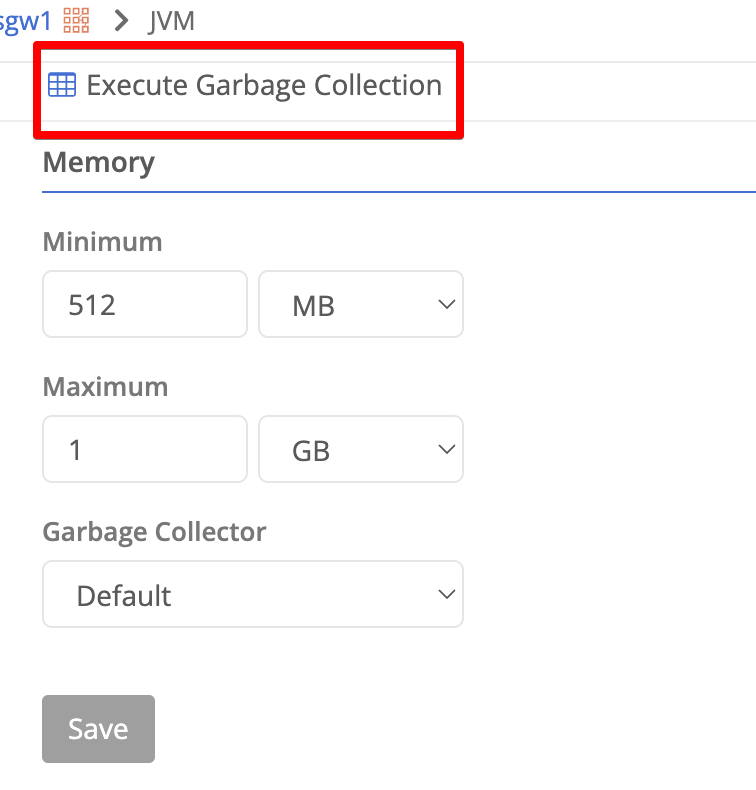
Execute Garbage Collection
This button forces the Java process to clean up memory and execute garbage collection. This is useful if you are seeing memory issues and want to force the JVM to clean up memory.
Memory Settings
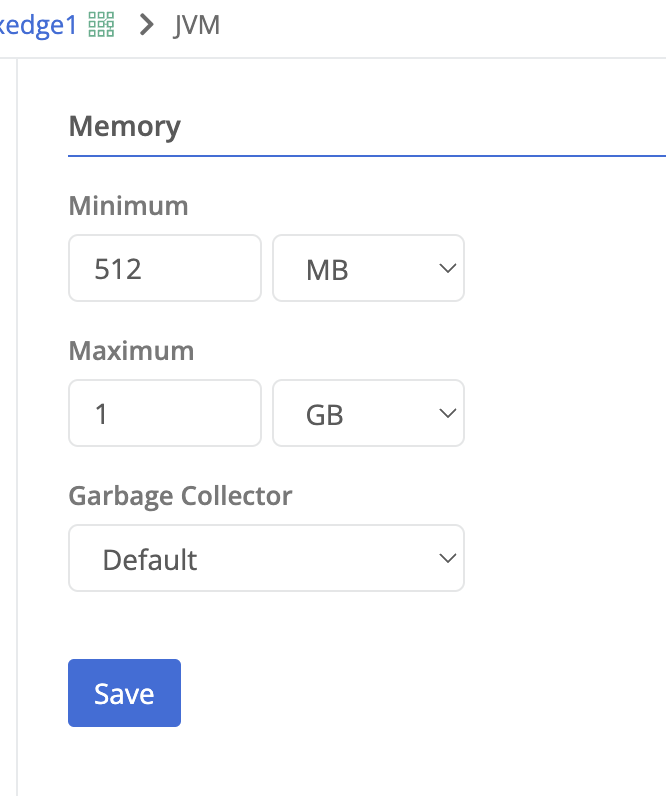
The JVM Memory panel allows changing the default JVM settings for the node process. See the JVM Knowledge Base article for more information on the default settings and recommendations for changing them.
| Field Name | Description |
|---|---|
| Minimum Memory | The starting amount of memory the JVM process will consume for heap usage. |
| Maximum Memory | The maximum amount of memory the JVM process can use for heap usage. |
| Garbage Collector |
|
Installed Packages
nodes::service:installed-packages permission. The built-in policies tg-monitor, tg-operator, tg-node-admin, and tg-admin grant this permission by default.1.5.20260608-2475. The page is shown only for nodes that support the installed-packages service.The Installed Packages panel lists the software packages installed on the node. The table includes the following columns:
| Field Name | Description |
|---|---|
| Name | The package name. |
| Description | A short summary of the package. |
| Version | The installed version of the package. |
| Architecture | The CPU architecture the package was built for (e.g., amd64). |
Feedback
Was this page helpful?
Glad to hear it! Please tell us how we can improve.
Sorry to hear that. Please tell us how we can improve.