Observability
Categories:
3 minute read
Observability enables exporters for Metrics (stats such as CPU, Memory, Disk, bytes sent/rcv’d, ..etc), Events, Node Audits, and Configuration Changes
Early Access Notice
The Observability feature is currently in early access. We are actively gathering feedback and usage data to help determine if additional charges will apply in the future. Functionality and pricing are subject to change.To enable this feature for your account, please contact Trustgrid Support.
Exporters
Trustgrid currently supports an OpenTelemetry exporter for Splunk, as well as a generic HTTP exporter for platforms that accept either JSON or OTLP-encoded data, such as Logstash or Grafana Cloud.
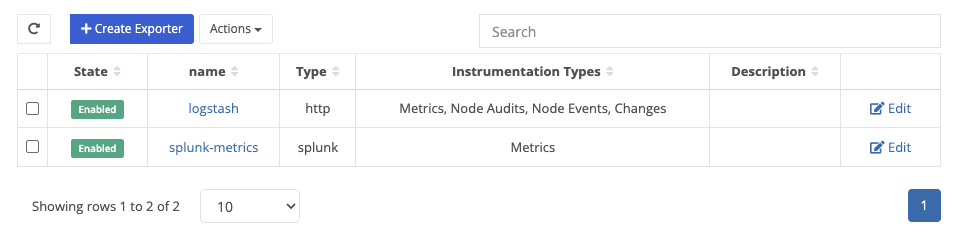
Adding an Exporter
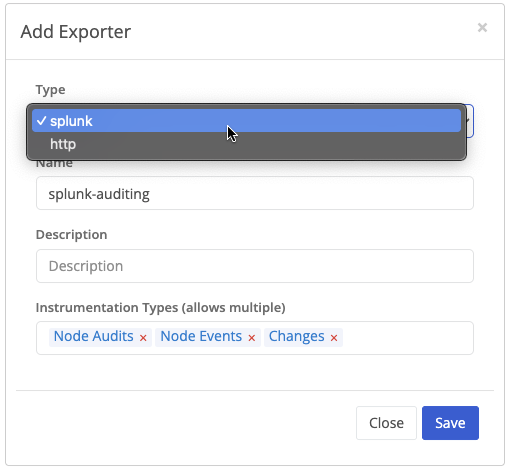
| Field Name | Description |
|---|---|
| Type | Splunk & HTTP are currently supported |
| Name | Your desired exporter name |
| Description | A brief description for your exporter |
| Instrumentation Types | Categories of data exported by Trustgrid. |
The Exporter type cannot be changed after adding an exporter
Splunk Exporter Settings
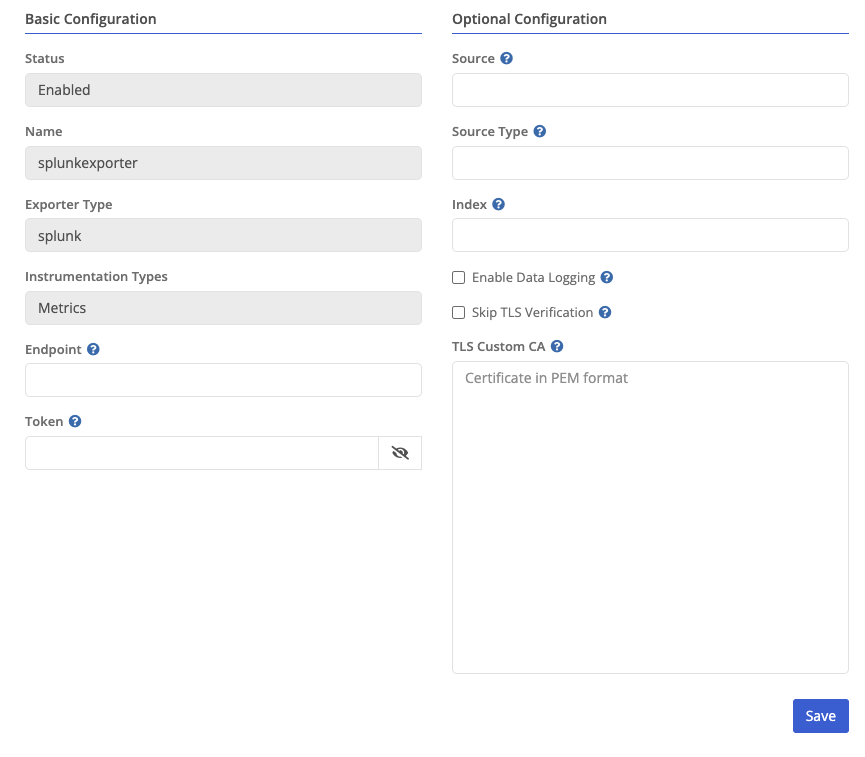
| Field Name | Description |
|---|---|
| Status | Current exporter status. |
| Name | Current exporter name. |
| Exporter Type | Configured exporter type. |
| Instrumentation Types | Current categories of data exported by Trustgrid (e.g. Metrics). |
| Endpoint | The destination URL for the Splunk endpoint. |
| Token | The authentication token used to send data to the Splunk endpoint. |
| Source | Optional: A custom source label for events sent to Splunk. |
| Source Type | Optional: A Splunk sourcetype value to help categorize data. |
| Index | Optional: The name of the Splunk index to send data to. |
| Enable Data Logging | Enable sending logs (e.g. instrumentation other than metrics) to Splunk. |
| Skip TLS Verification | Disable TLS certificate validation for the Splunk endpoint. |
| TLS Custom CA | Optional: Provide a custom CA certificate (in PEM format) for TLS validation. |
HTTP Exporter Settings

| Field Name | Description |
|---|---|
| Status | Current exporter status. |
| Name | Current exporter name. |
| Exporter Type | Configured exporter type. |
| Instrumentation Types | Current categories of data exported by Trustgrid (e.g. Metrics). |
| Endpoint | Base URL for sending telemetry data via HTTP. |
| Auth Type | The authentication method used when sending data to the HTTP endpoint. Options:
|
| Bearer Token | The token value sent in the Authorization: Bearer header. Only visible when Auth Type is set to Bearer Token. |
| Username | Username credential for Basic Auth. Only visible when Auth Type is set to Basic Auth. |
| Password | Password credential for Basic Auth. Only visible when Auth Type is set to Basic Auth. |
| Metrics Endpoint | Optional override for the metrics-specific HTTP endpoint (e.g. https://hrl/v2/metrics). |
| Logs Endpoint | Optional override for the logs-specific HTTP endpoint (e.g. https://hrl/v2/logs). |
| HTTP Timeout | Maximum time to wait for an HTTP response (in seconds - Default: 30 seconds). |
| Read Buffer Size | Size of the read buffer used when receiving HTTP responses (Default: 0). |
| Write Buffer Size | Size of the write buffer used when sending HTTP requests (Default: 512 * 1024). |
| Encoding | Specifies the telemetry data format. Options include JSON or OTEL. |
| Compression | Compression method for HTTP payloads Options include gzip, zstd, and none. |
| Skip TLS Verification | Disable TLS certificate validation. |
| TLS Custom CA | Optional: Provide a custom CA certificate (in PEM format) for TLS validation. |
When Bearer Token is selected as the Auth Type, the Username and Password fields are replaced with a single Bearer Token field.

Feedback
Was this page helpful?
Glad to hear it! Please tell us how we can improve.
Sorry to hear that. Please tell us how we can improve.