Expose a Container over a Virtual Network
5 minute read
This tutorial walks through making a container reachable across sites by attaching it to a Trustgrid virtual network.
- Inbound: the container is reachable across the virtual network via the configured virtual IP.
- Outbound to the LAN: the container can call services on the appliance’s local network.
- Outbound to the internet: the container can call public services through the appliance’s WAN.
- No other inbound path: there is no inbound access to the container from outside the appliance unless you explicitly configure a host port mapping. The overlay is the only way in.
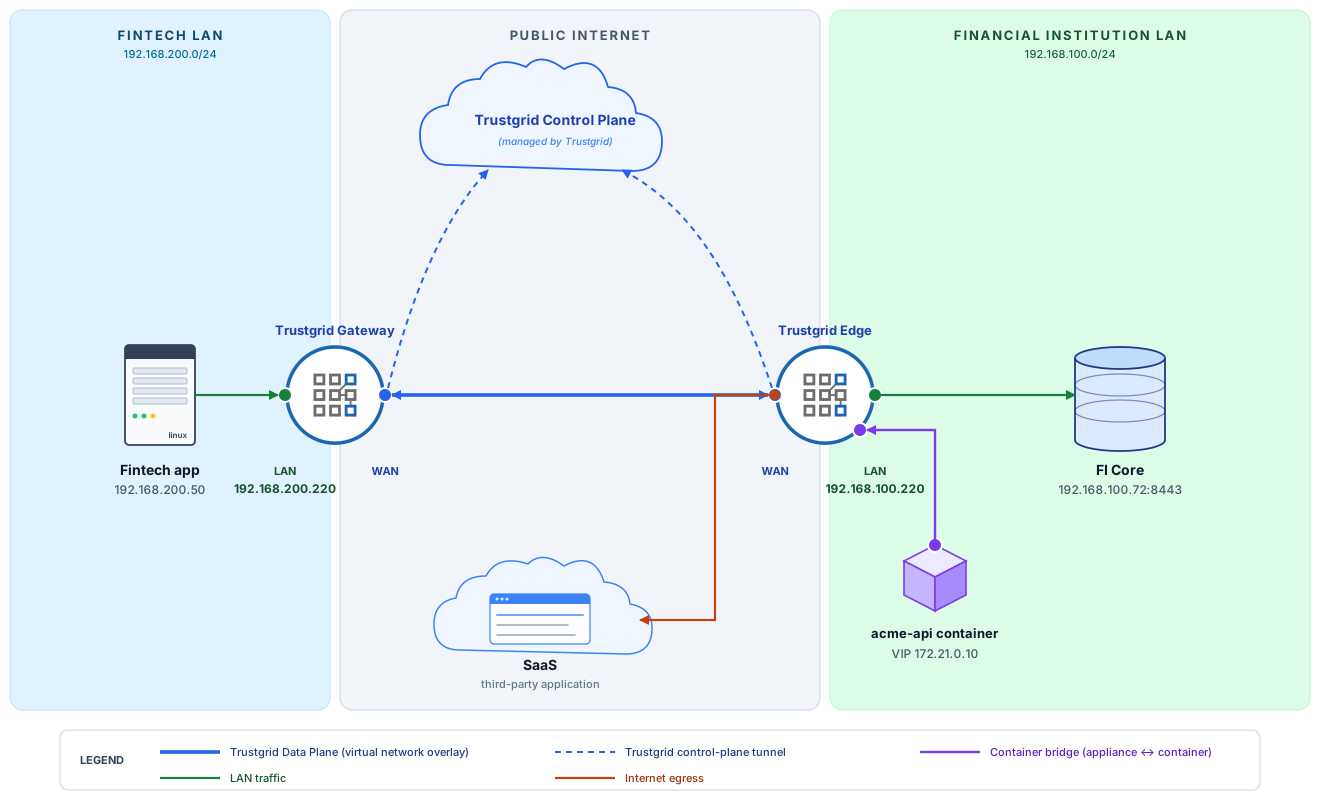
The walk-through uses a small example: acme-api, a container running on Acme Bank’s edge cluster, queried by a fintech provider via the overlay. The container fetches data from Acme’s on-prem core (LAN) and is able to make outbound calls to a SaaS endpoint (WAN).
Starting point
Both clusters already exist — nodes are deployed and paired into a cluster, but no virtual-network configuration is applied yet. See Clusters for cluster setup.
- An edge cluster running the container, set up via the Container Quickstart.
- A gateway cluster with nothing configured on it yet beyond cluster membership.
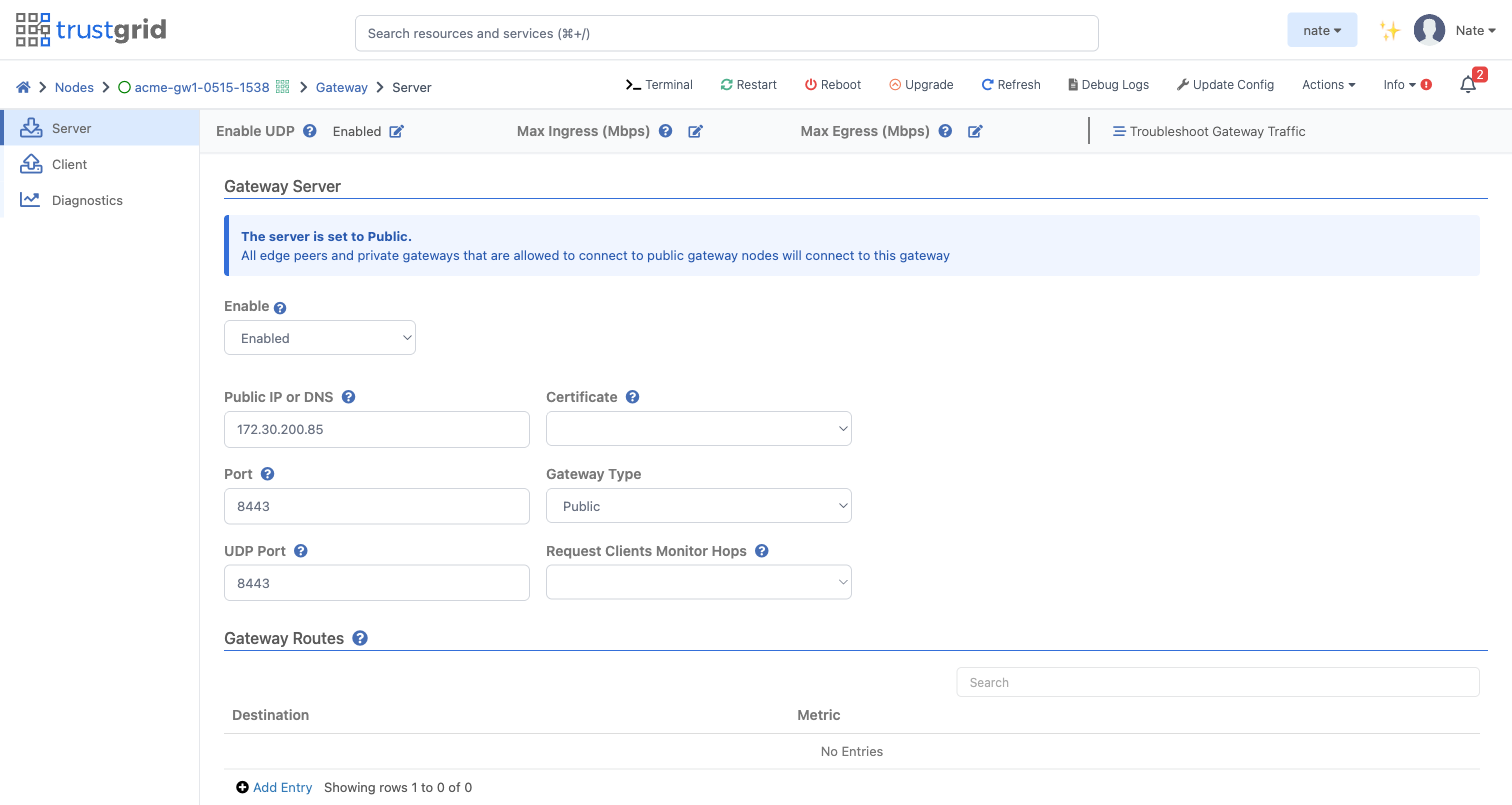
1. Enable each gateway appliance as a public gateway
Nodes → Node Name → Gateway → Server
| Field | Value |
|---|---|
| Enable | Enabled |
| Public IP or DNS | The public endpoint that terminates the TLS / UDP Data Plane tunnels from connecting nodes |
| Port | 8443 |
| UDP Port | 8443 |
| Gateway Type | Public |
See Gateway Server for the full options reference.
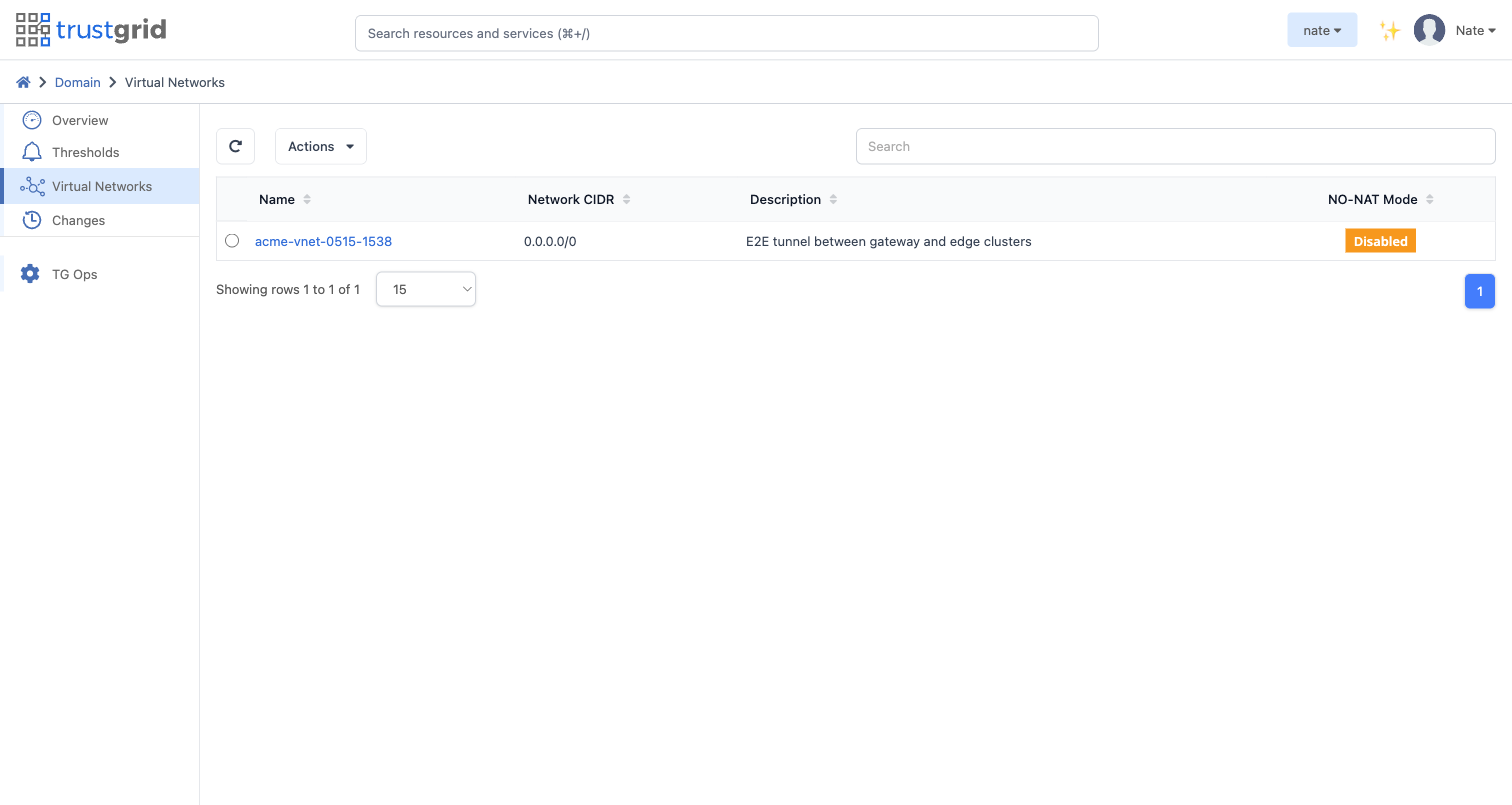
2. Create the virtual network
Domain → Virtual Networks → Add: name it acme-vnet-0515-1538, CIDR 172.20.0.0/16. A subnet is allocated to each cluster.
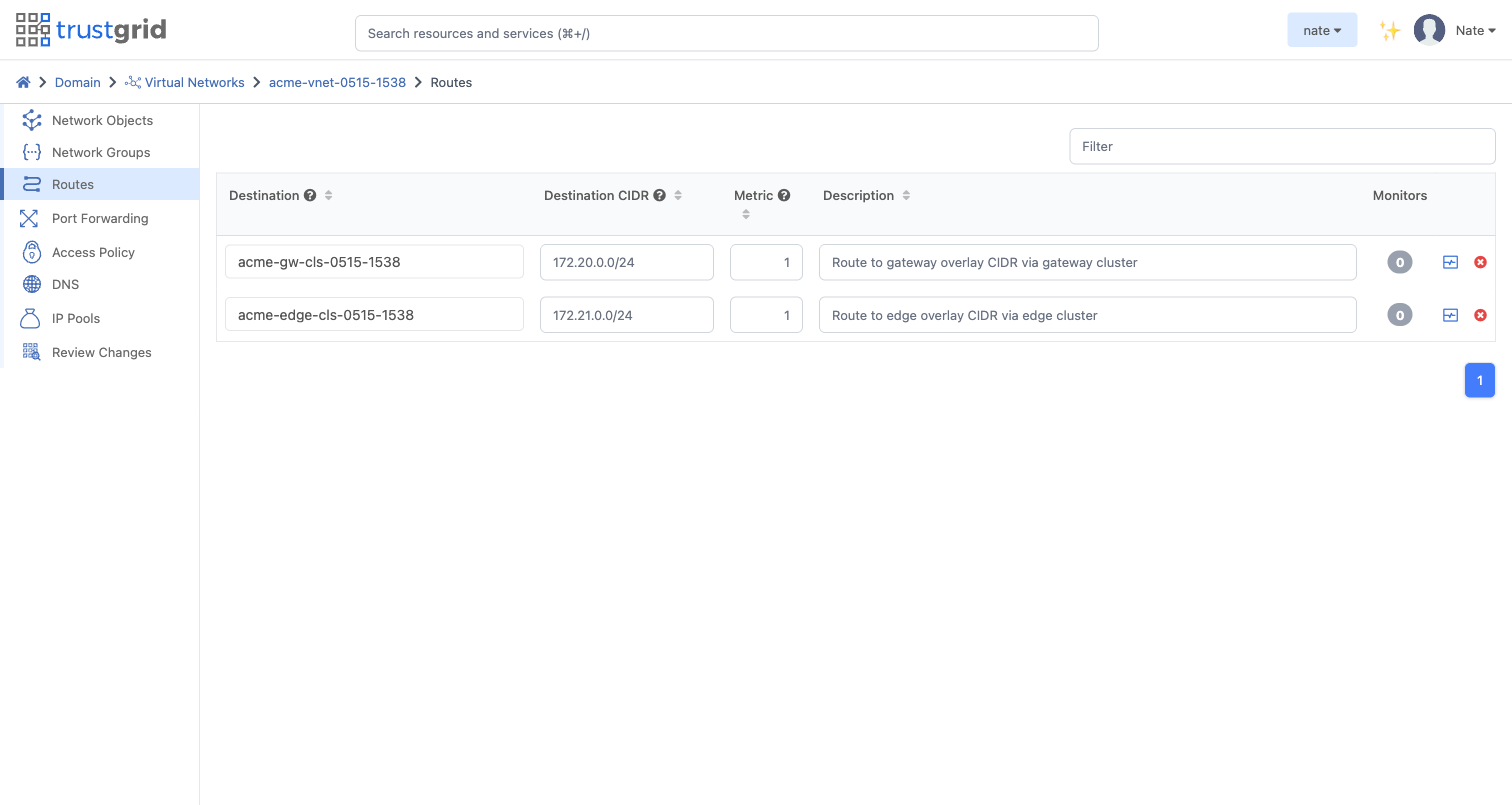
3. Add virtual network routes
Routes tell the overlay where to send traffic for each destination subnet — packets are forwarded to the active cluster master:
| CIDR | Destination |
|---|---|
172.20.0.0/24 | gateway cluster |
172.21.0.0/24 | edge cluster |
Routes are staged when added — they don’t take effect until applied in step 5.
4. Add access policies
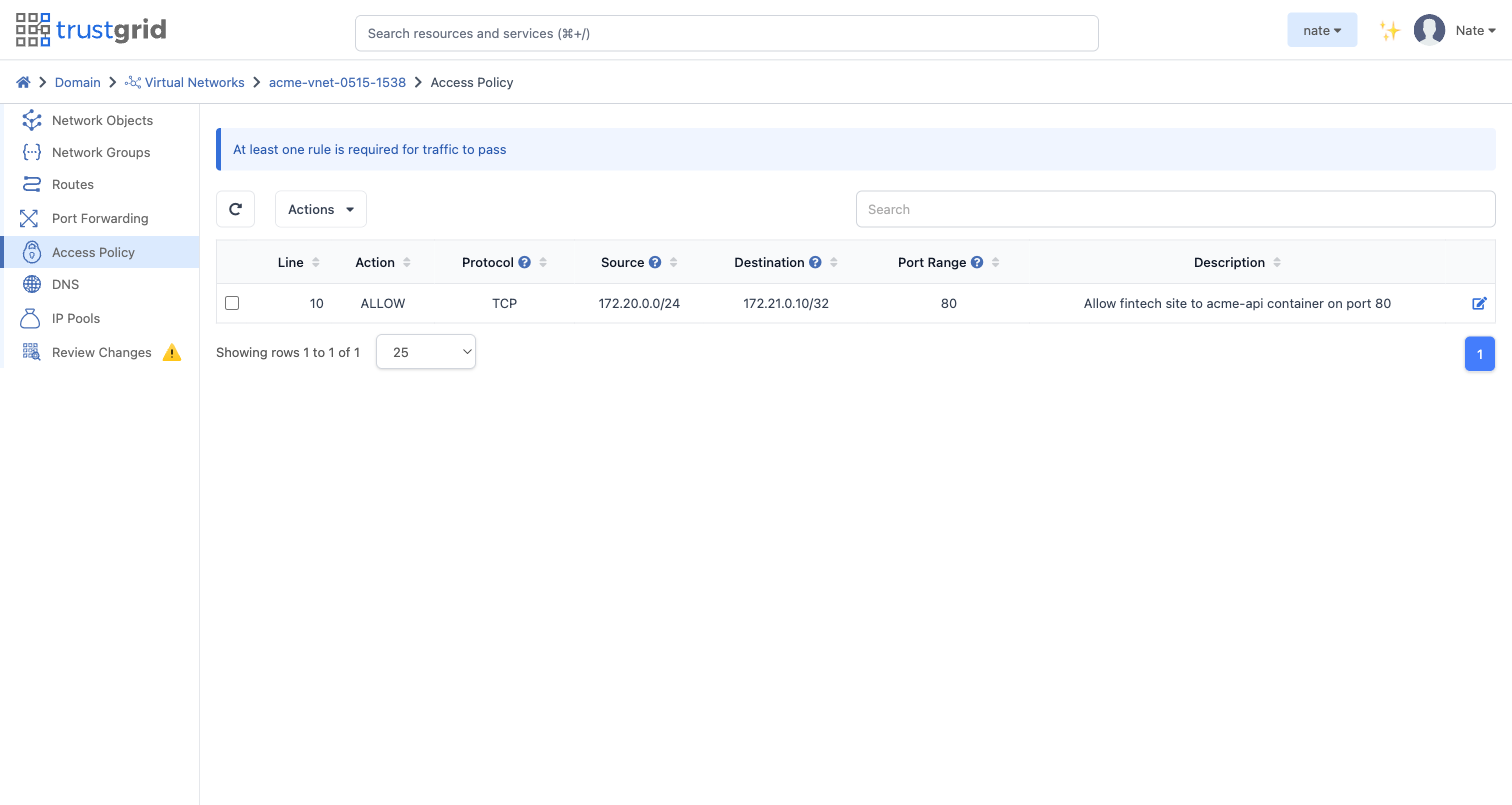
Trustgrid virtual networks are zero trust — all traffic is denied by default. Add a single rule that permits exactly the traffic the integration needs — the fintech side reaching the container on its API port:
| Protocol | Source | Destination | Ports | Action |
|---|---|---|---|---|
tcp | 172.20.0.0/24 (fintech overlay subnet) | 172.21.0.10/32 (container VIP) | 80 | Allow |
Like routes, the rule is staged when added.
5. Review and apply the staged changes
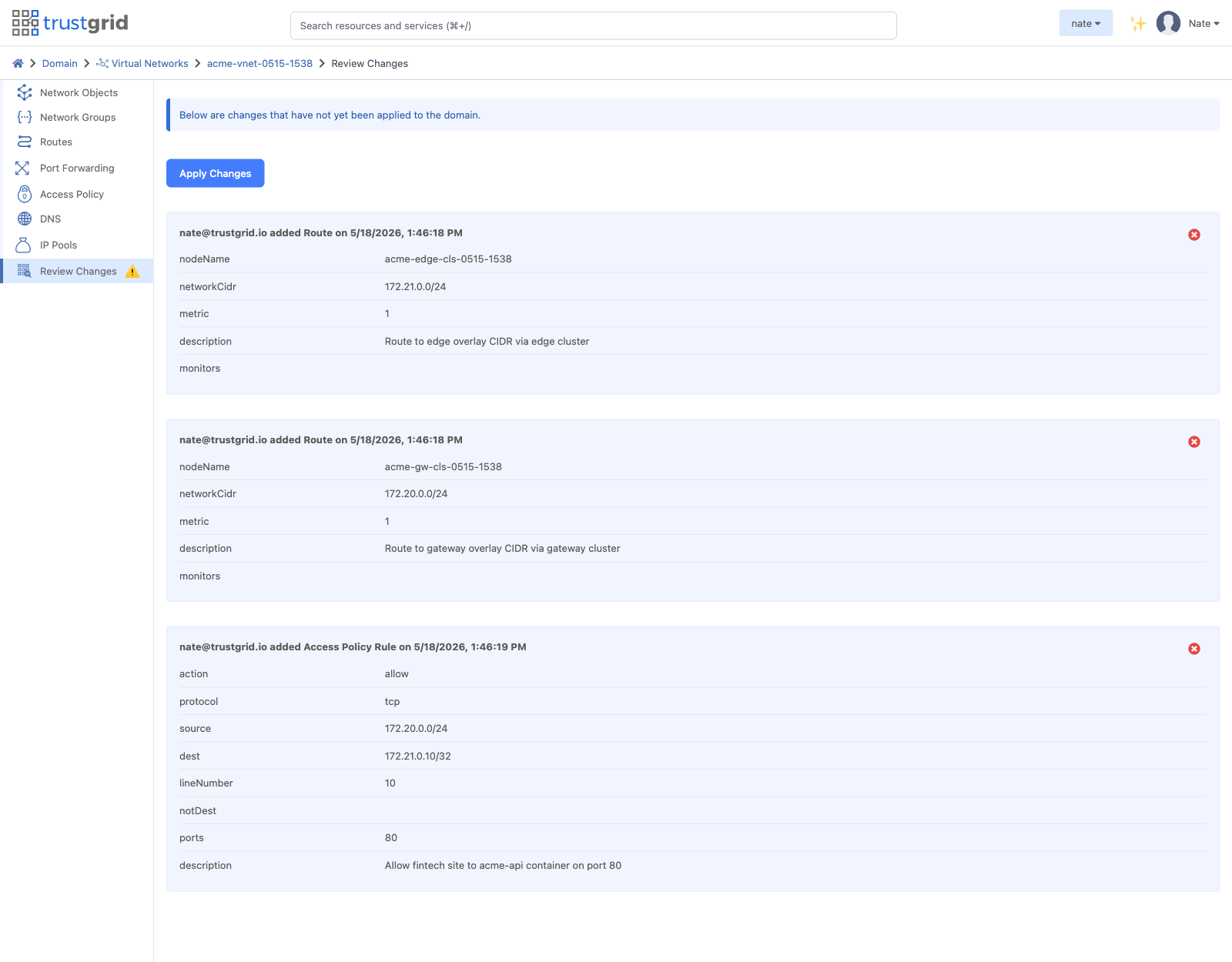
Open Review Changes for the virtual network. The three staged adds — both routes and the access policy — are listed together. Click Apply Changes to commit them all at once.
6. Attach the virtual network to the gateway cluster
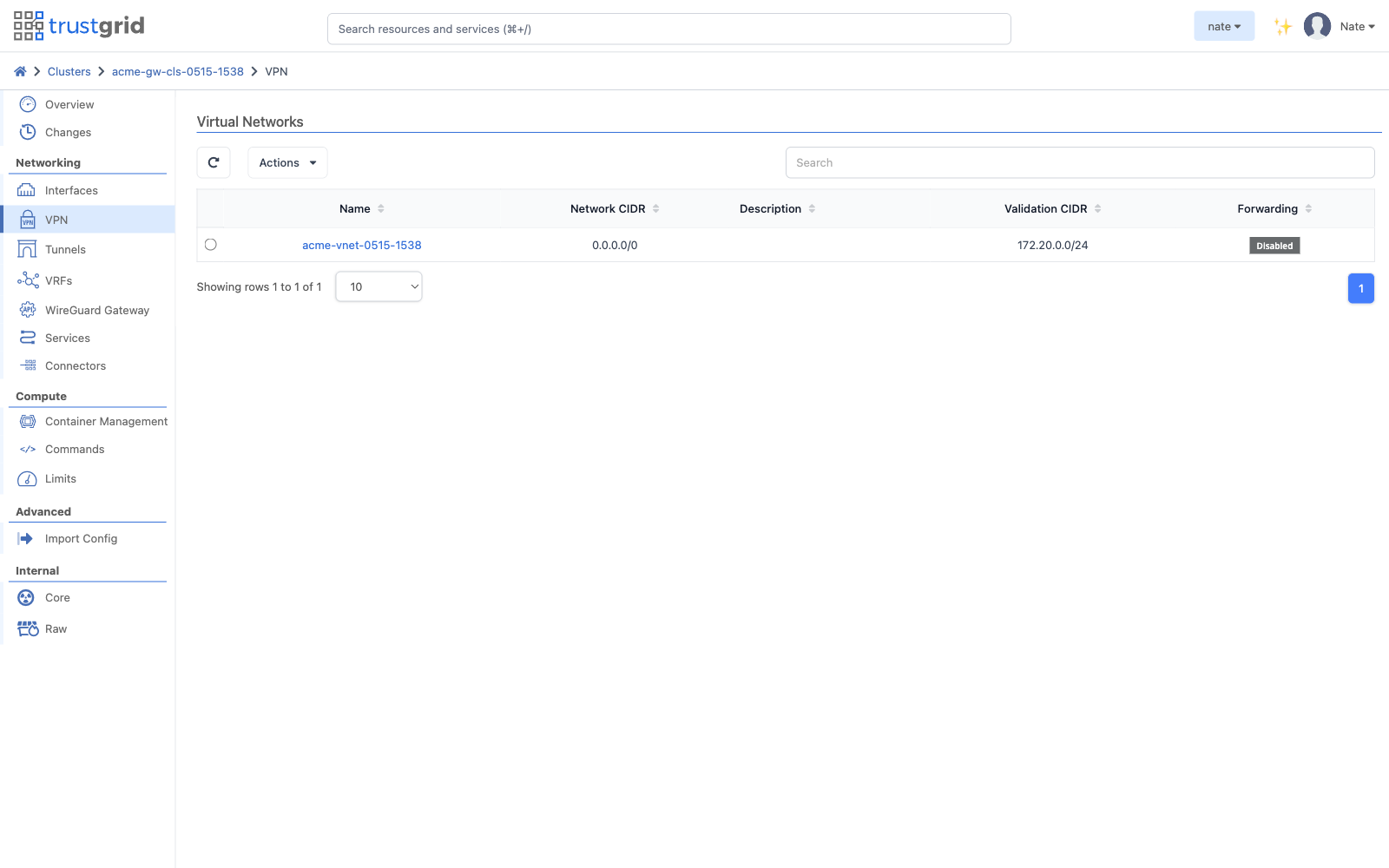
Clusters → Gateway Cluster → Network → VPN → Actions → Attach
- Virtual Network:
acme-vnet-0515-1538 - Validation CIDR:
172.20.0.0/24
The validation CIDR is the overlay subnet this cluster is allowed to NAT into — it must match the route added in step 3.
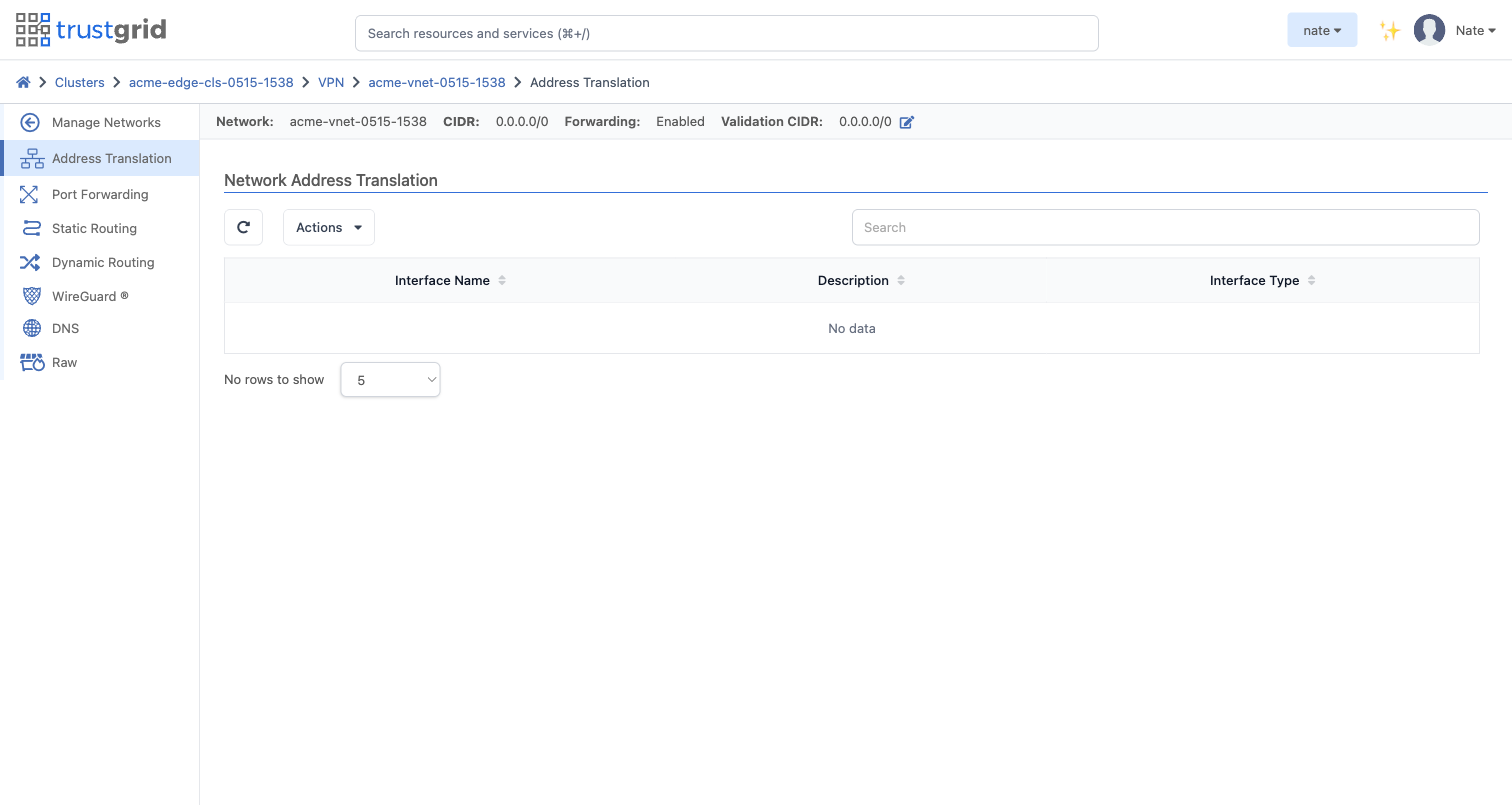
7. Attach the LAN interface and configure the NATs
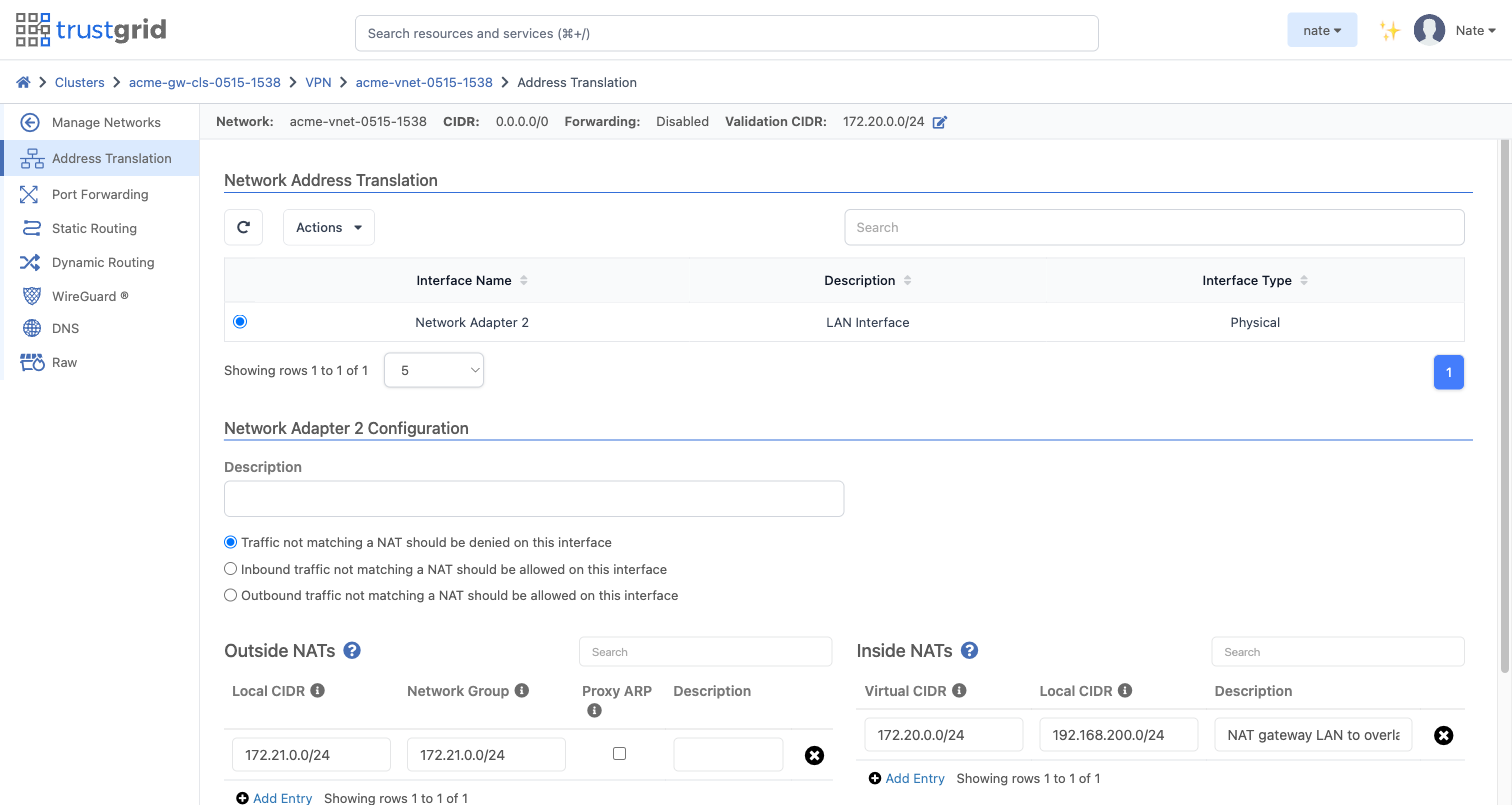
With the virtual network attached at the cluster level, open it and go to Address Translation. Select the LAN interface that the fintech app uses to reach the appliance, then add the two NATs that bridge the fintech LAN and the overlay:
| Field | Value |
|---|---|
| Interface | gateway-side LAN NIC (e.g. Network Adapter 2) |
| Inside NAT — Virtual CIDR | 172.20.0.0/24 |
| Inside NAT — Local CIDR | 192.168.200.0/24 |
| Outside NAT — Local CIDR | 172.21.0.0/24 |
| Outside NAT — Network Group | 172.21.0.0/24 |
The Inside NAT maps the fintech LAN 192.168.200.0/24 to the overlay subnet 172.20.0.0/24 — hosts on the fintech LAN appear on the overlay as the matching address in 172.20.0.0/24.
The Outside NAT exposes the edge overlay subnet 172.21.0.0/24 on the fintech LAN with the same 172.21.0.0/24 addresses, so the container at 172.21.0.10 is reachable directly from the fintech LAN.
8. Attach the virtual network to the edge cluster
Clusters → Edge Cluster → Network → VPN → Actions → Attach
- Virtual Network:
acme-vnet-0515-1538 - Validation CIDR:
172.21.0.0/24
9. Attach the container to the virtual network
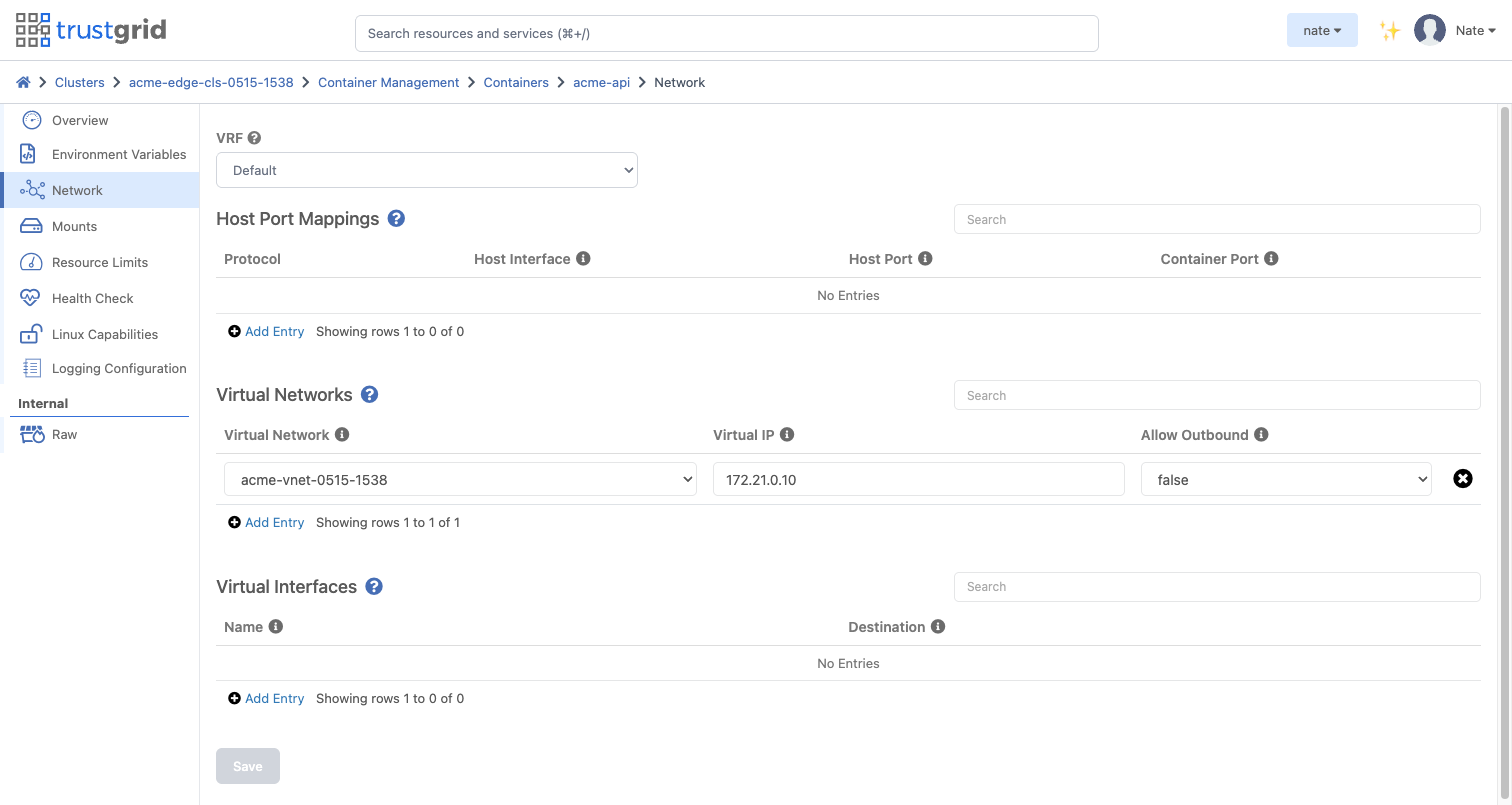
Open the container on the edge cluster → Network → Virtual Networks → Add Entry:
| Field | Value |
|---|---|
| Virtual Network | acme-vnet-0515-1538 |
| Virtual IP | 172.21.0.10 |
| Allow Outbound | off |
Verify — the fintech queries the FI Core through the container API
Run the test from the fintech side. The fintech provider’s backend — a host on the gateway-side LAN — calls the acme-api container at its overlay IP:
$ curl http://172.21.0.10/v1/accounts
{
  "service": "acme-fintech-core",
  "host": "edge-host",
  "timestamp": "2026-05-15T17:26:19.329926Z",
  "accounts": [
    { "id": "ACC-1001", "balance": 4218.55 },
    { "id": "ACC-1002", "balance": 19234.10 }
  ]
}
That response is what Acme Bank’s on-prem core returned. The request path:
- The fintech provider’s backend calls
http://172.21.0.10/v1/accounts. The call is routed to the Trustgrid gateway cluster IP, which is always served by the cluster’s active node. - The Trustgrid virtual network overlay carries the request across the secure, encrypted Data Plane to Acme’s edge appliance.
- The
acme-apicontainer receives the request at its overlay VIP. - The container’s nginx forwards the request to Acme’s FI Core at
192.168.100.72:8443over the appliance’s LAN. - The FI Core returns the account data, which retraces the path back to the fintech.
One request, end to end. The fintech never touches Acme’s LAN; Acme never exposes the core publicly. The container is the only thing either side talks to, and the integration’s policy is enforced by the single zero-trust ACL.
Traffic flows one way. The FI cannot initiate connections back to the fintech — the container’s Allow Outbound is off and the ACL only permits fintech → container.
Feedback
Was this page helpful?
Glad to hear it! Please tell us how we can improve.
Sorry to hear that. Please tell us how we can improve.