AWS Cluster Route Failover
4 minute read
This tutorial covers AWS route failover for a clustered Trustgrid deployment. On failover, the active member updates AWS route-table entries (ec2:CreateRoute / ec2:DeleteRoute) so that overlay CIDRs always point at the active member’s data ENI — no floating IP required.
For the IP-based failover alternative, see AWS Cluster IP Failover.
How it works
Graceful Failover
- The Trustgrid appliance relinquishing the active role removes its AWS route-table entries.
- The appliance gaining the active role creates new route-table entries pointing at its own ENI.
Ungraceful Failover
- After the Cluster Timeout period elapses, the appliance taking the active role removes the prior active node’s route-table entries.
- The now-active appliance creates new route-table entries pointing at its own ENI.
Requirements
- AWS route table associated with the LAN subnet of the cluster members. Include every route table whose subnet needs to reach overlay destinations, not only the one tied to the cluster members’ own LAN subnet. The cluster can only manage route tables that belong to the same VPC as the nodes, so any additional subnet in that VPC with its own route table must be included if its traffic should route through the active member over the VPN.
- IAM instance profile on each cluster member granting the permissions below.
IAM Permissions Required
Each cluster member’s IAM instance profile must allow:
{
  "Effect": "Allow",
  "Action": "ec2:DescribeRouteTables",
  "Resource": "*"
},
{
  "Effect": "Allow",
  "Action": [
    "ec2:CreateRoute",
    "ec2:DeleteRoute"
  ],
  "Resource": [
    "arn:aws:ec2:<region>:<account-id>:route-table/<rtb-id>",
    "arn:aws:ec2:<region>:<account-id>:route-table/<rtb-id-2>"
  ]
}
List the ARN of every route table the cluster will manage in the Resource field, one entry per table. This includes the route table associated with the data NICs and any additional subnet route tables that need to reach overlay destinations. See Deploy a Trustgrid Node AMI in AWS for full IAM role setup steps.
Configuration Steps
Deploy a pair of Trustgrid nodes. Members can be in the same availability zone or different ones for greater redundancy. See Deploy a Trustgrid Node in AWS.
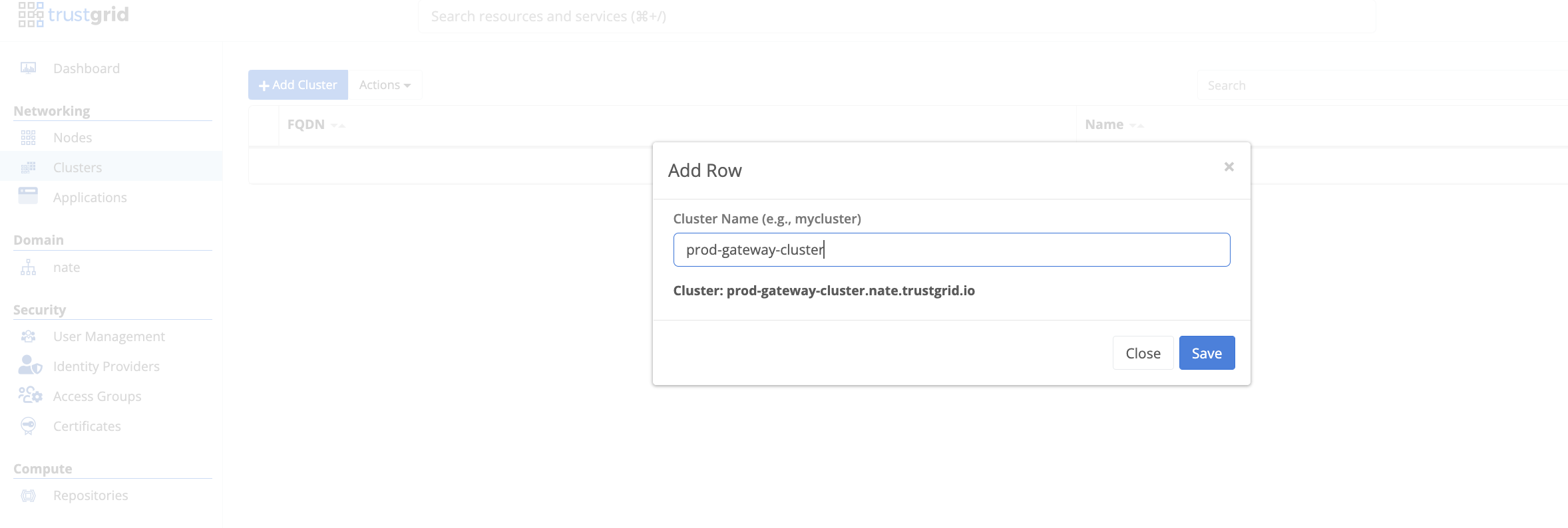
Under Networking > Clusters, create a cluster with a descriptive, unique name.
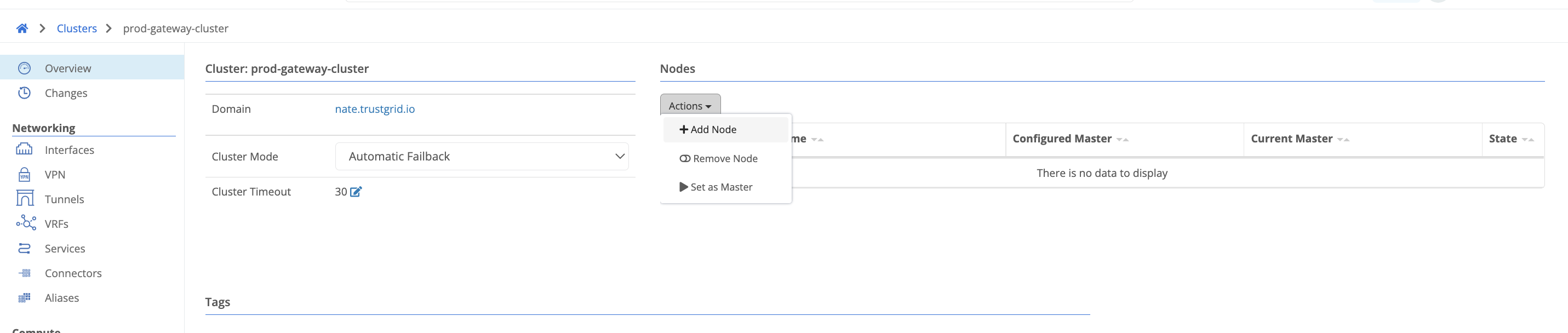
Select the cluster and add both nodes using the Actions dropdown.
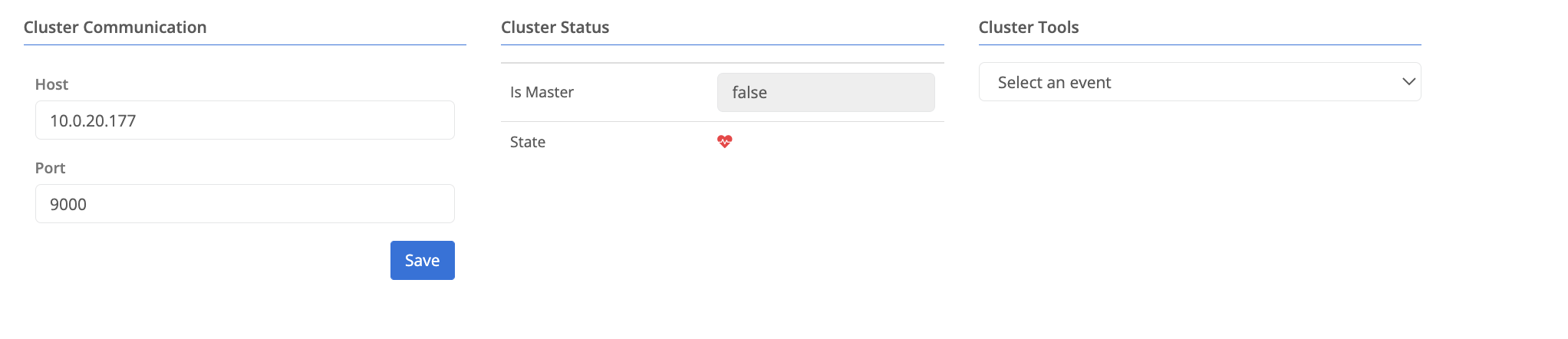
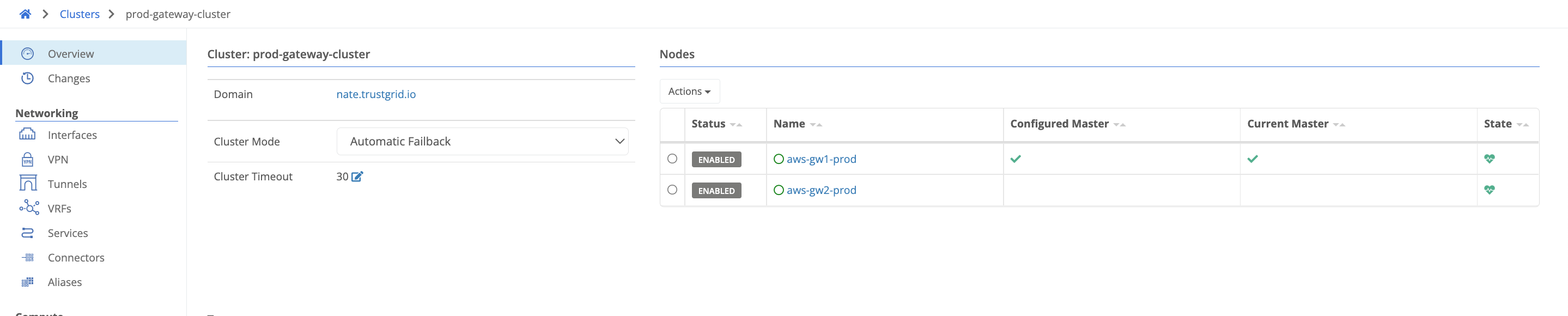
Configure the cluster heartbeat on each member node under System > Cluster. Set the host to the interface IP you want to use for heartbeat traffic (WAN or LAN). The port defaults to TCP 9000 but can be any unused TCP port. Both security groups must allow bidirectional traffic on this port. Both members send heartbeats to each other; if the standby cannot reach the active member it promotes itself. Once configured both nodes should show healthy in the cluster view.
 If deploying members in different availability zones, add LAN interface routes to the cluster for both members’ LAN subnets. This ensures heartbeat traffic routes over the correct interface rather than the WAN interface.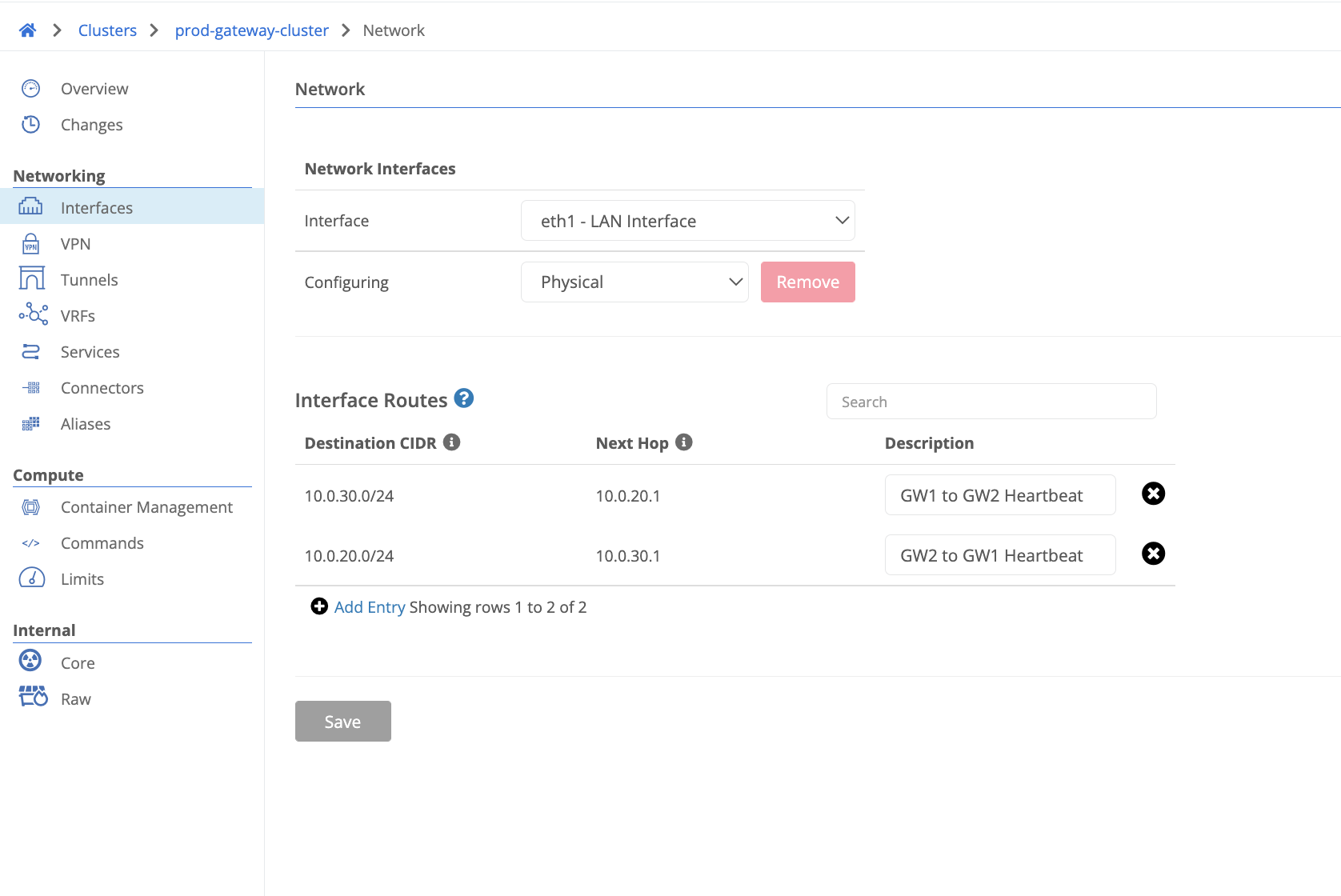
Under Cluster > Interfaces > eth1 (LAN) > AWS Route Table Entries, add the CIDR covering the destination IP space the cluster needs to reach via the overlay. For example, if all remote virtual-network addresses are carved out of
172.16.0.0/16, add that single CIDR. Once saved, a route is created in the AWS route table pointing the CIDR at the active member’s ENI. On failover the route is updated automatically to the new active member’s ENI.If other subnets in the same VPC as the nodes need to reach the overlay during and after failover, the cluster must manage their route tables too. Only route tables in the cluster’s own VPC apply here: a subnet in a different VPC reaches the overlay through transit gateway or VPC peering, with its route pointing at the Trustgrid VPC rather than being managed by the cluster. For each additional same-VPC subnet, identify its route table ID (for examplertb-03d7b8e9f1a2c4d56for a10.20.0.0/16application subnet), add that table’s ARN to the IAM policy above, and list the table under Cluster > Interfaces > eth1 (LAN) > AWS VPC Route Tables. The overlay CIDRs are then maintained and failed over in every listed table, not just the one tied to the cluster’s own LAN subnet.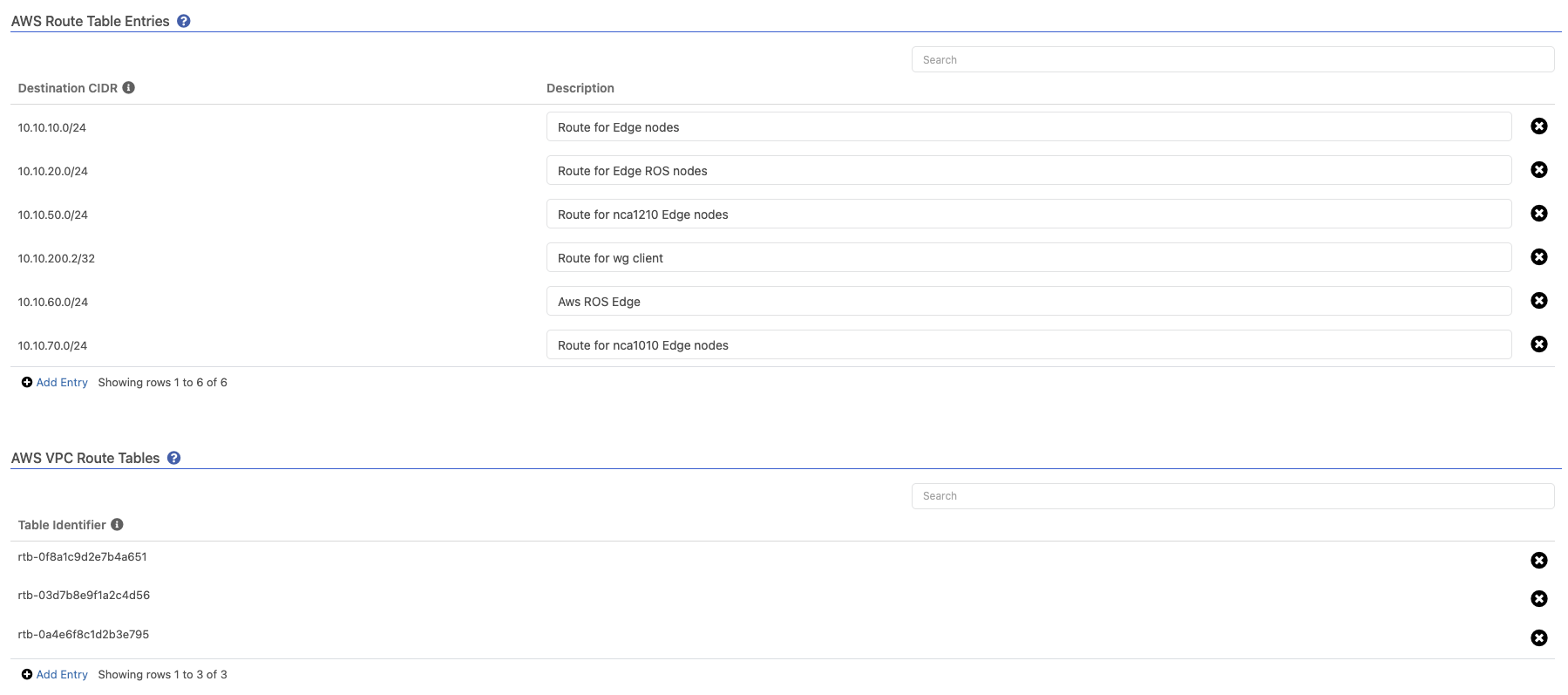
Appropriate VPN configuration is still required for traffic to flow end-to-end across the Trustgrid overlay.
Feedback
Was this page helpful?
Glad to hear it! Please tell us how we can improve.
Sorry to hear that. Please tell us how we can improve.