AWS HA Wireguard Cluster
2 minute read
This tutorial covers fronting a clustered Trustgrid node in AWS with a Network Load Balancer (NLB) so that Wireguard clients connect to a single stable endpoint and the NLB directs traffic to the active cluster member.
Only the active member of a Trustgrid cluster responds healthy to the load balancer health check, so the NLB always forwards traffic to the active node.
Prerequisites
- A two-member Trustgrid HA cluster deployed in AWS.
- A configured Wireguard Gateway on the cluster.
Configuration
1. Create the EC2 Target Group
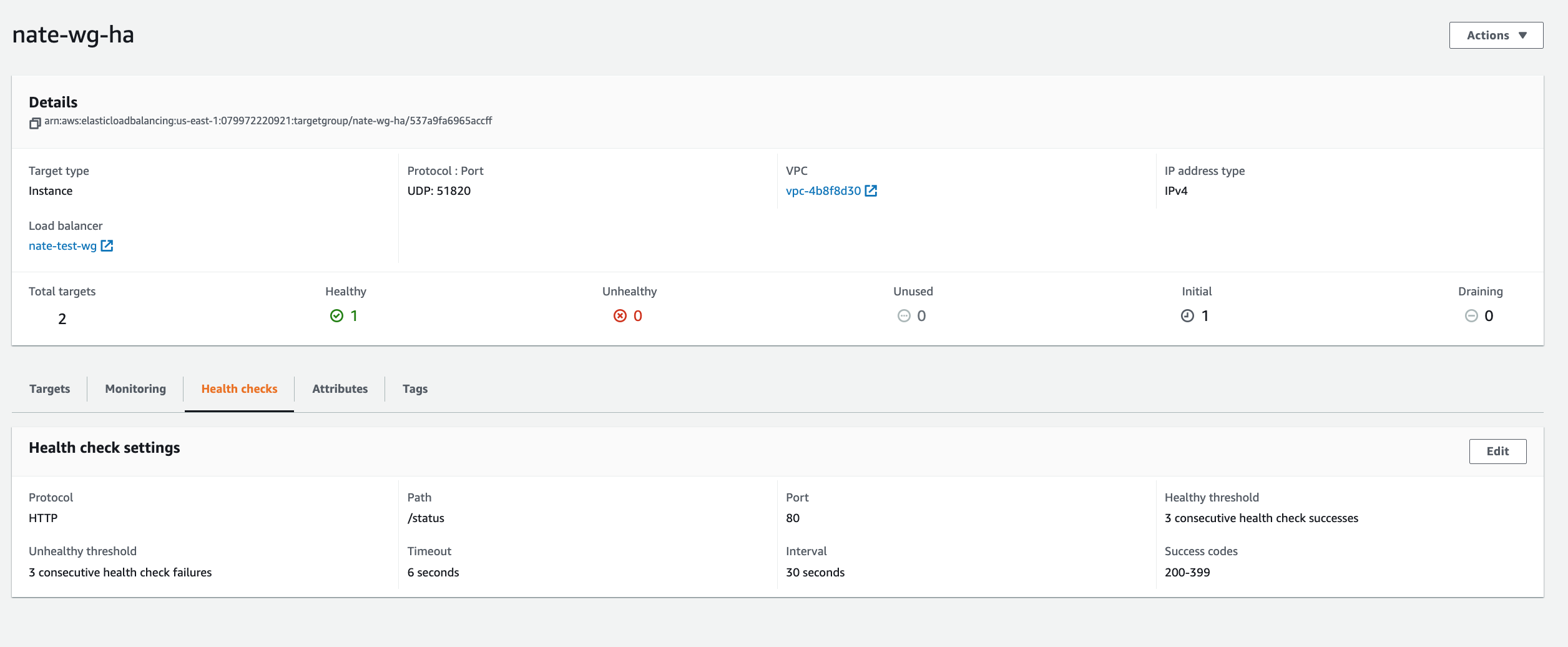
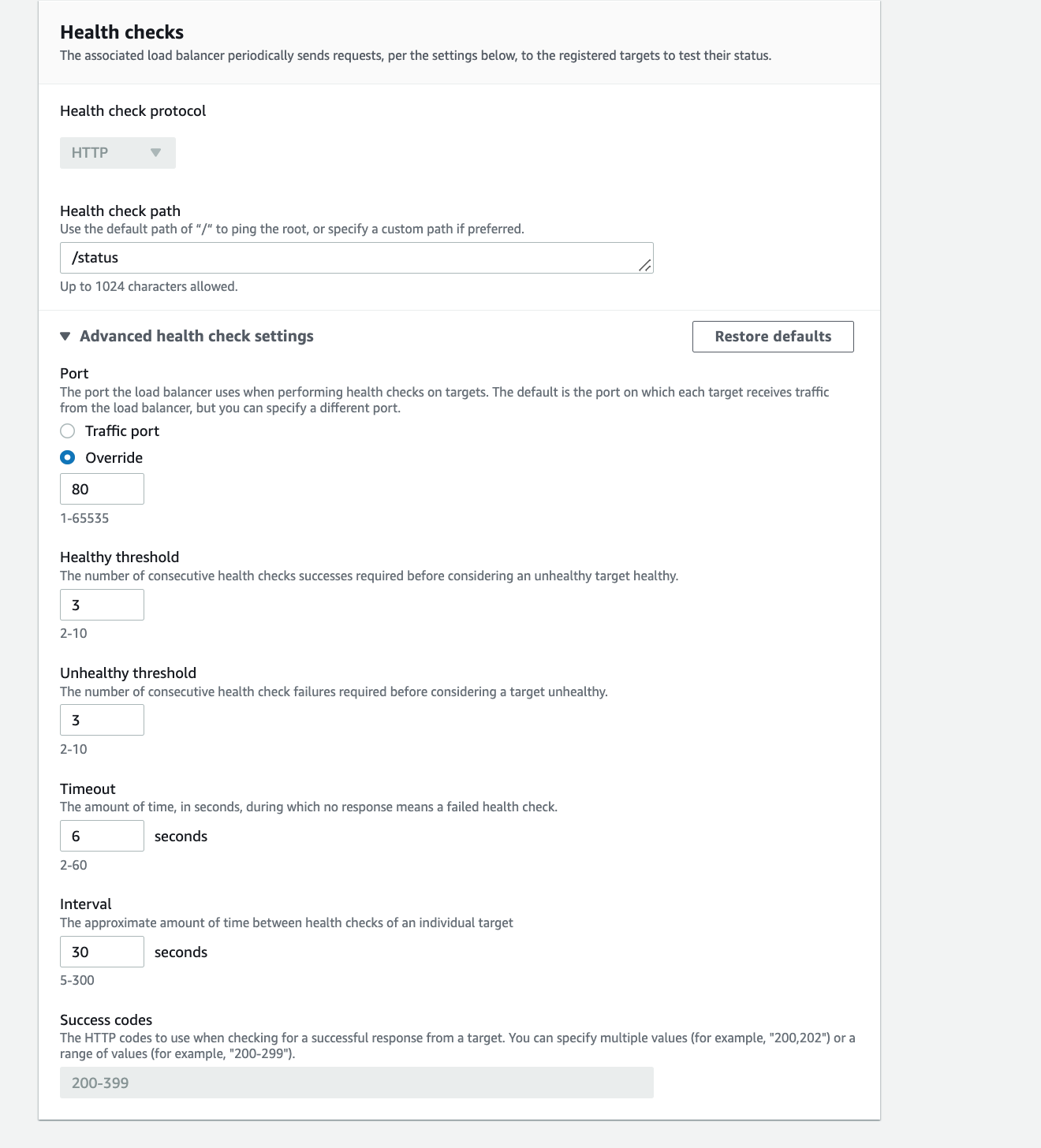
Create a target group containing both Trustgrid cluster members. Configure the target group as follows:
- Target port: the Wireguard server port (default UDP 51820).
- Health check protocol: HTTP.
- Health check path:
/status. - Health check port override: 80.
2. Create the Network Load Balancer
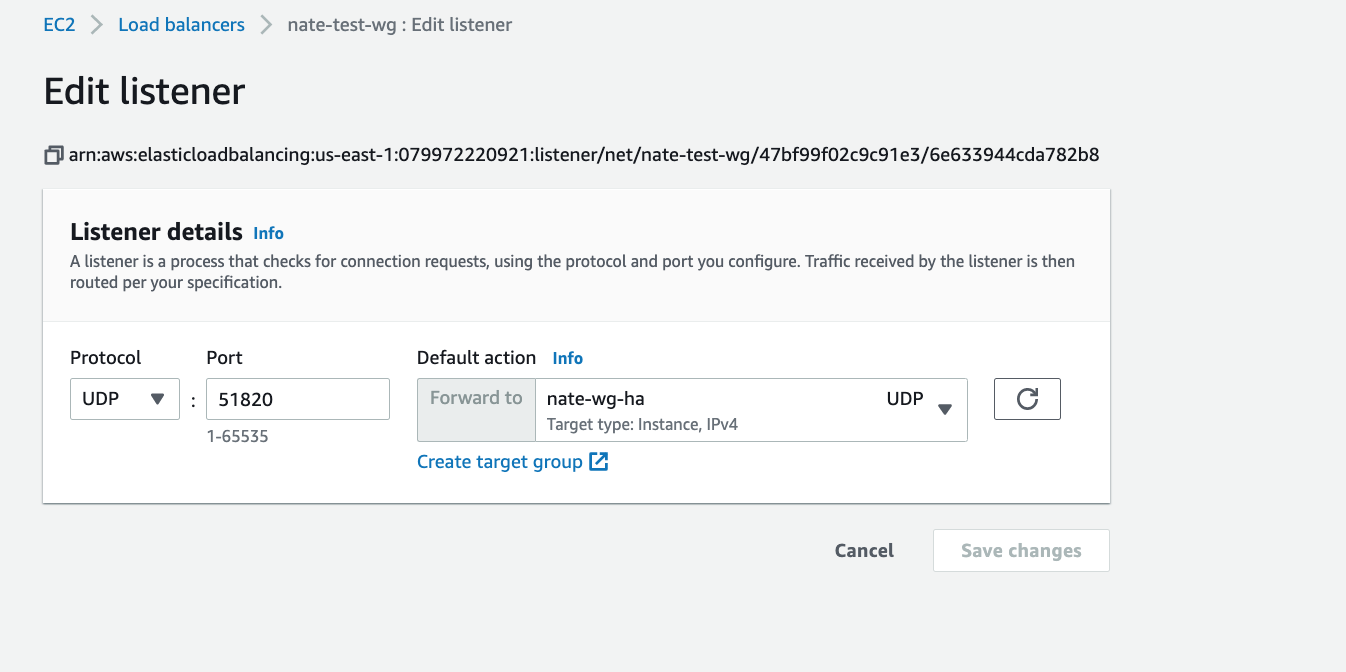
Create an internet-facing IPv4 Network Load Balancer mapped to the public subnets of the cluster members. Add a UDP listener on the Wireguard server port (default 51820) that forwards to the target group created above.
Wireguard clients should be configured to connect to the NLB DNS name (or the Elastic IPs assigned to it). On cluster failover, the NLB stops receiving healthy responses from the previously active member and begins forwarding traffic to the new active member with no client-side change required.
Feedback
Was this page helpful?
Glad to hear it! Please tell us how we can improve.
Sorry to hear that. Please tell us how we can improve.